
FinOps & Cost Intelligence
See where every cloud dollar goes, before and after you deploy.
Pre-deployment cost estimation, multi-provider analytics, and resource-level cost breakdowns across AWS, Azure, and GCP.
Full cost visibility across every cloud provider
STRUCTURA.IO tracks every dollar from design to deployment. See per-resource pricing before you ship, then monitor actual spend across AWS, Azure, and GCP, broken down by project, provider, and cost component.
Cloud providers tracked
Pre-deploy
Cost estimation per change
3 providers
AWS, Azure & GCP tracked
Capabilities
Drill down from portfolio to resource
Every layer of your cloud spend, from the full portfolio down to individual resource components, is visible and accountable. Scroll to explore each capability.
Capabilities
Multi-Provider Cost Analytics
Track and analyze cloud spending across AWS, Azure, and GCP from a single dashboard with per-provider breakdowns and monthly trending.
Project-Level Cost Tracking
See exactly where every cloud dollar goes. Break down costs by project and provider for full visibility and accountability across your organization.
Resource-Level Cost Breakdown
Drill into individual resources to see cost components (compute, storage, data transfer) with hourly and monthly estimates for every piece of infrastructure.
Cost Governance & Access Control
Fine-grained permissions control who can view cost data. Role-based access ensures cost visibility is available to the right stakeholders in your organization.
Cost estimation before you deploy
Every project shows a cost card that updates with each plan. See the estimated monthly spend at a glance, with a clear indicator showing whether the latest change drives costs up or down compared to the previous plan — so there are no surprises when you hit apply.
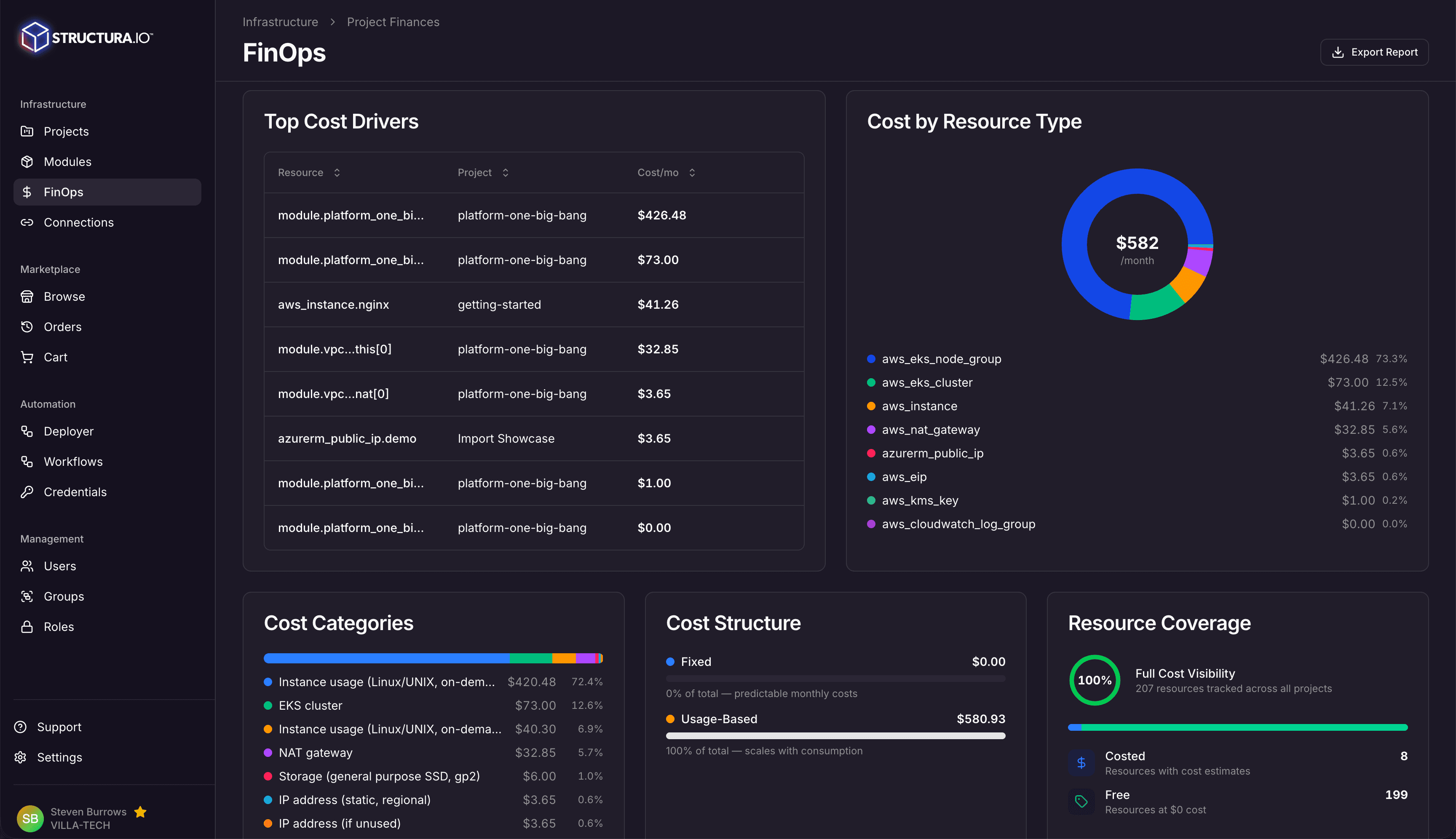
Provider cost overview & trends
Stacked bar charts show how your cloud spend trends month over month across AWS, Azure, and GCP. Quickly spot which provider is driving costs and how spending shifts over time.
Right-sizing & optimization recommendations
A dedicated optimization report highlights where you're overspending — idle resources, over-provisioned instances, and reserved instance savings you're leaving on the table. Each recommendation shows the potential saving so your team can prioritize the changes that matter most.
Experience the Power of AI-Driven Infrastructure
