
Visual Designer
Design infrastructure visually. Generate code automatically.
A bidirectional visual canvas that turns drag-and-drop designs into production-ready HCL, keeping them in perfect sync.
Design, edit, import: always in sync
Drag resources onto an infinite canvas, edit HCL directly in the built-in Monaco editor, or import existing Terraform and watch it come to life as a visual graph.
Multi-cloud resources
Bidirectional
Visual & code sync
Infinite
Node-based canvas
Capabilities
A visual canvas that speaks HCL
Design infrastructure the way you think about it, as a graph of connected resources, while STRUCTURA.IO generates production-ready Terraform in the background.
Capabilities
Infinite Canvas
Drag AWS, Azure, GCP, and Kubernetes resources onto a node-based graph. Connect them visually to define relationships and dependencies.
Bidirectional Code Sync
Edit the visual diagram and the HCL updates. Edit the HCL and the diagram updates. The parser ensures they never drift apart.
Import Existing Terraform
Already have Terraform configurations? Import them directly. STRUCTURA.IO parses your HCL and generates a visual representation instantly.
Monaco Editor Built-In
Full-featured HCL editing with syntax highlighting, IntelliSense, and error detection, right alongside your visual design.
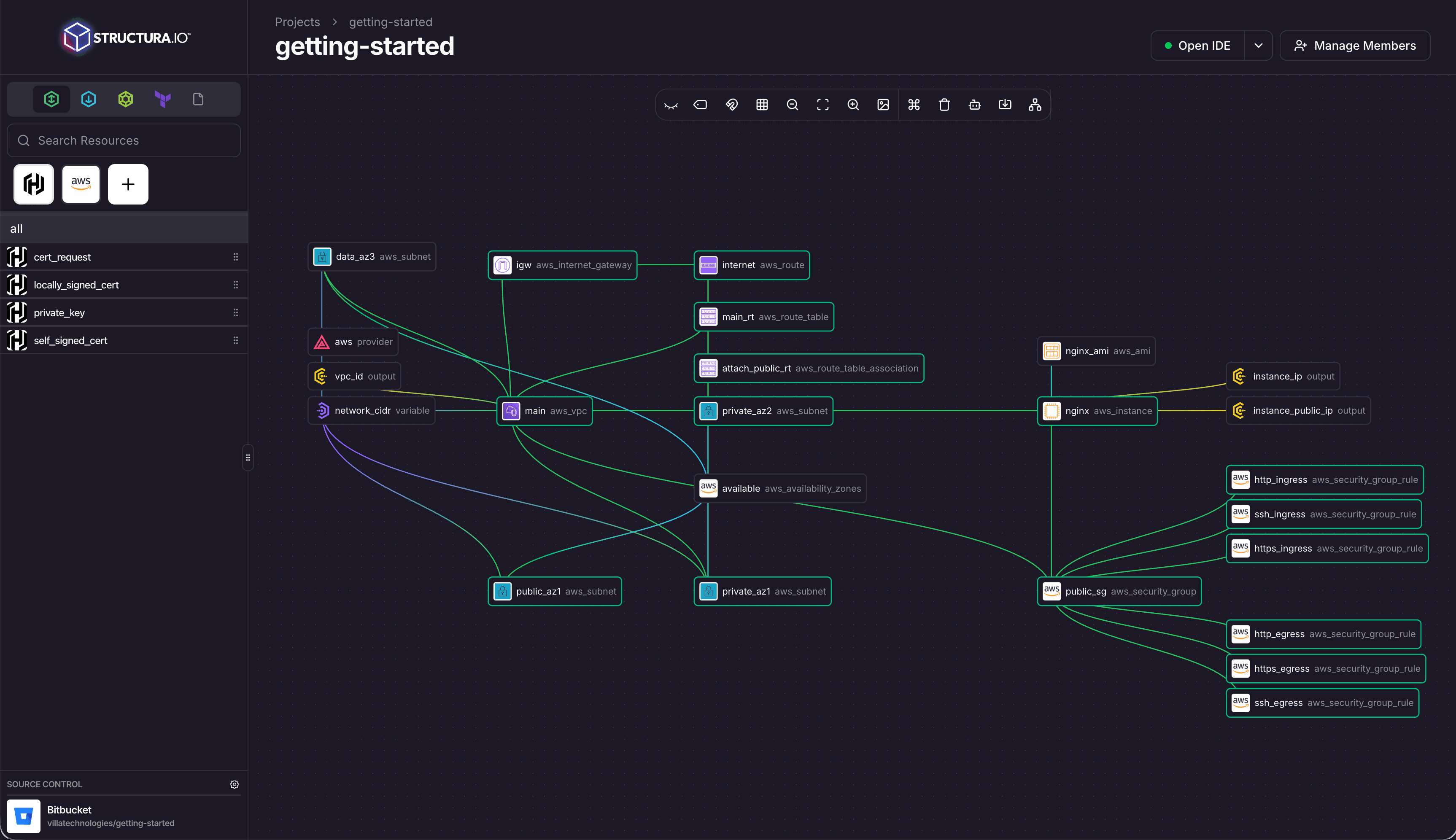
See your architecture at a glance
The node-based graph visualization shows every resource, its properties, and connections. Zoom, pan, filter, and explore your entire infrastructure in a single view.
Merge feat/azure-vnet → main
feat: add network security group rules
feat: add public + private subnets
feat: add azurerm_virtual_network
feat: add storage account + blob container
feat: initial Azure resource group + VPC
chore: update provider versions
Git is your source of truth
Every change is a commit. STRUCTURA.IO syncs bidirectionally with your Git repository via webhooks, with branch management, PR workflows, and merge tracking built in.
Experience the Power of AI-Driven Infrastructure
